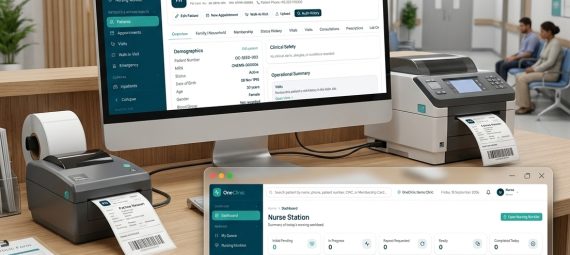
Managing a modern clinic involves much more than maintaining patient records. Reception teams handle appointments and walk-ins, nurses record vitals and prepare patients for consultation, doctors need immediate access to clinical history, and billing staff must keep track of invoices, payments, balances and discounts. As a clinic grows, these workflows often become spread across paper files, spreadsheets and disconnected software.
ESP Inspire, we have worked with businesses on software, web applications and digital systems for many years. Through that experience, we saw an opportunity to build a healthcare platform around the way clinics actually operate rather than simply creating another electronic patient-record system.
That work has resulted in OneClinic — a clinic management software platform developed for clinics, specialist practices and medical centers in Pakistan.
OneClinic is developed through ESP Insight, our software solutions vertical, with the goal of connecting patient care, front-desk operations, billing and administration within one practical system.
Why We Developed OneClinic
A common challenge with clinic software is that individual features may work well on their own, while the actual day-to-day workflow remains fragmented.
A receptionist may register a patient in one place, appointment information may exist somewhere else, the doctor may maintain separate clinical records, and billing staff may need to enter much of the same information again. When a clinic also manages memberships, treatment or observation, inpatient beds or employees, the number of disconnected processes can increase quickly.
We wanted OneClinic to approach the problem differently.
Rather than starting with a long list of modules, we started with the patient journey and the people involved in it.
A typical visit may move through:
Patient Registration → Appointment or Walk-In → OPD Queue → Vitals → Doctor Consultation → Prescription → Billing → Payment → Follow-Up
OneClinic keeps those stages connected so that information entered earlier in the workflow remains available to the next authorized team member.
This workflow-driven approach is at the center of the platform.
Designed for the People Who Run a Clinic
OneClinic is not designed around a single administrative user.
Different members of a clinic team have different responsibilities, and the software reflects that.
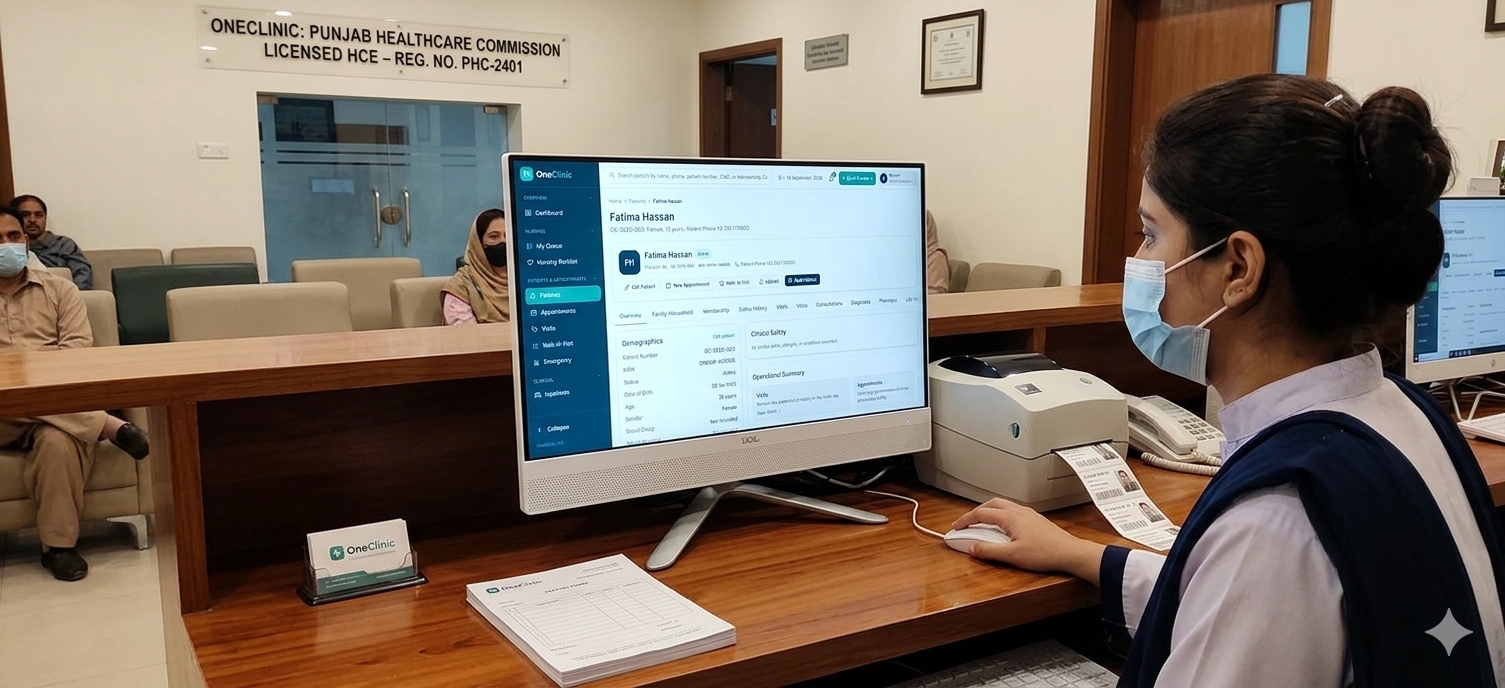
Reception staff can work with patient registration, appointments, walk-ins, queues and front-desk billing.
Nurses can record vitals, nursing observations and other appropriate clinical information.
Doctors can review patient history, conduct consultations, record diagnoses, prescribe medicines and determine the patient’s next step.
Accounts and authorized administrative staff can work with billing, collections, expenses, payroll and related operational information.
Clinic managers and administrators can oversee broader operations, settings, permissions and activity.
Role-based access helps keep the interface relevant to each person’s work while limiting access to areas they do not need.
Patient Registration, Appointments and OPD Management
The patient journey begins at the front desk.
OneClinic supports patient registration and search, scheduled appointments and walk-in patients. Clinics can assign doctors, manage tokens and queues, and move the patient through the consultation workflow without repeatedly recreating the same information.
Patient records maintain important historical context so staff and doctors can review previous visits and activity when needed.
Clinics interested in this part of the platform can explore our detailed Patient & OPD Management overview.
Clinical Records and Digital Prescriptions
Once a patient reaches the clinical side of the workflow, OneClinic allows relevant staff to record vitals and allows the doctor to work with complaints, consultation notes, diagnoses and prescriptions.
Doctors can review previous patient information while working on the current consultation instead of treating each visit as an isolated record.
Medication search and digital prescription functionality make the prescribing workflow more structured, while follow-up information can remain associated with the patient’s history.
The objective is not merely to replace paper with forms. It is to make the information recorded during a visit useful throughout the patient’s continuing relationship with the clinic.
Billing That Remains Connected to the Patient
Billing is another area where disconnected systems frequently create unnecessary work.
OneClinic can handle billing for consultations, clinic services and procedures, medicines and medical supplies. Clinics can record full or partial payments, maintain outstanding balances, process refunds and retain transaction history.
Billing can also recognize applicable Membership benefits and other supported discounts while keeping the financial history of previous invoices intact.
This means the billing team is working from the same patient and visit context rather than recreating the visit in a separate accounting screen.
Individual and Family Membership Programs
Some clinics offer their own patient Membership programs, particularly for recurring patients and families.
OneClinic includes Membership Management for creating plans, defining benefits and enrolling individual patients or families.
A Family Membership can include explicitly covered patients rather than automatically applying benefits to everyone recorded in a household. Clinics can issue printable Membership Cards with barcode lookup, and eligible benefits can be recognized automatically during billing.
Different benefit percentages can be configured for areas such as consultations, medicines, procedures, medical supplies, inpatient care and laboratory services where applicable.
This gives clinics a structured way to manage their own patient-benefit programs without confusing clinic Memberships with health insurance or insurance claims processing.
Treatment, Observation and Inpatient Care
Not every clinic requires inpatient functionality, and OneClinic does not assume that every practice operates like a hospital.
For clinics and medical centers that do provide extended care, however, the platform can continue beyond the standard OPD visit.
Treatment and observation workflows provide a structured way to manage patients who require short-term clinical care.
Where inpatient facilities are available, doctors can request admission and authorized staff can assign a Ward, Room and Bed. Nursing observations, notes, IV/drip activity, doctor rounds, bed transfers and the discharge workflow can then remain part of the patient’s operational history.
The system preserves the distinction between an admission request, an active inpatient stay and a completed discharge so that bed occupancy and historical records remain accurate.
HR and Payroll for Growing Practices
As clinics expand, employee administration can become another source of disconnected spreadsheets and manual calculations.
OneClinic includes employee management along with leave, loans and salary advances, allowances, deductions and monthly payroll processing.
Authorized staff can generate payroll, review calculations before finalization, record salary payments and produce salary slips and payroll registers.
This functionality is intended to support practical clinic administration without attempting to turn OneClinic into a general-purpose enterprise HR or accounting platform.
Built Around Historical Accuracy
One principle we considered important while building OneClinic was that today’s configuration changes should not unexpectedly rewrite yesterday’s records.
Historical invoices preserve their original billing information. Membership benefits are stored with the Membership when it is issued rather than silently changing every time the underlying Plan changes. Finalized payroll records retain the values used for that payroll period.
The same philosophy applies across other operational workflows.
For a clinic, the historical record is often as important as the current screen.
Practical Details Matter Too
Software used every day at a reception counter or doctor’s desk has to work beyond the database.
OneClinic therefore includes practical workflows such as token and receipt printing, prescription printing and Membership Cards. The platform also maintains an audit trail for important activity and uses role-based permissions to help clinics control who can access different parts of the system.
These may not always be the first items shown in a software demonstration, but they make a significant difference once a system becomes part of daily clinic operations.
Built for Clinics and Medical Centers in Pakistan
OneClinic has been developed with Pakistani clinics and medical practices in mind.
The platform is suitable for independent clinics, multi-doctor practices, specialist clinics and medical centers that need more structured patient and operational management without taking on the complexity of a large hospital ERP.
Our focus is to provide a system that can grow with a practice while remaining practical for the people who actually use it every day.
Clinics in Lahore, Karachi, Rawalpindi, Faisalabad, Multan and other cities across Pakistan can arrange a demonstration to see how the workflow fits their own operations.
Choosing the Right Clinic Management Software
No two practices operate exactly the same way, and choosing software should involve more than comparing the number of features listed on a website.
We recommend that clinic owners evaluate the actual workflow during a demonstration: register a patient, create a walk-in, move the patient through the queue, record vitals, complete a consultation, generate an invoice and find that patient’s history again.
Questions around roles, refunds, printing, audit history and future growth are equally important.
We have put together a detailed 2026 Clinic Management Software Buyer’s Guide covering the practical areas clinics should evaluate before selecting a system.
See OneClinic in Action
OneClinic represents the direction we believe clinic software should take: connected workflows, clear responsibilities and practical tools instead of disconnected modules and unnecessary complexity.
Development will continue around that principle as we work with clinics and medical centers and learn from real operational requirements.
If you operate a clinic, specialist practice or medical center and would like to see how OneClinic could fit your workflow, visit OneClinic and request a demonstration.
We would be happy to walk through the platform using the kind of patient journey your own staff handles every day.